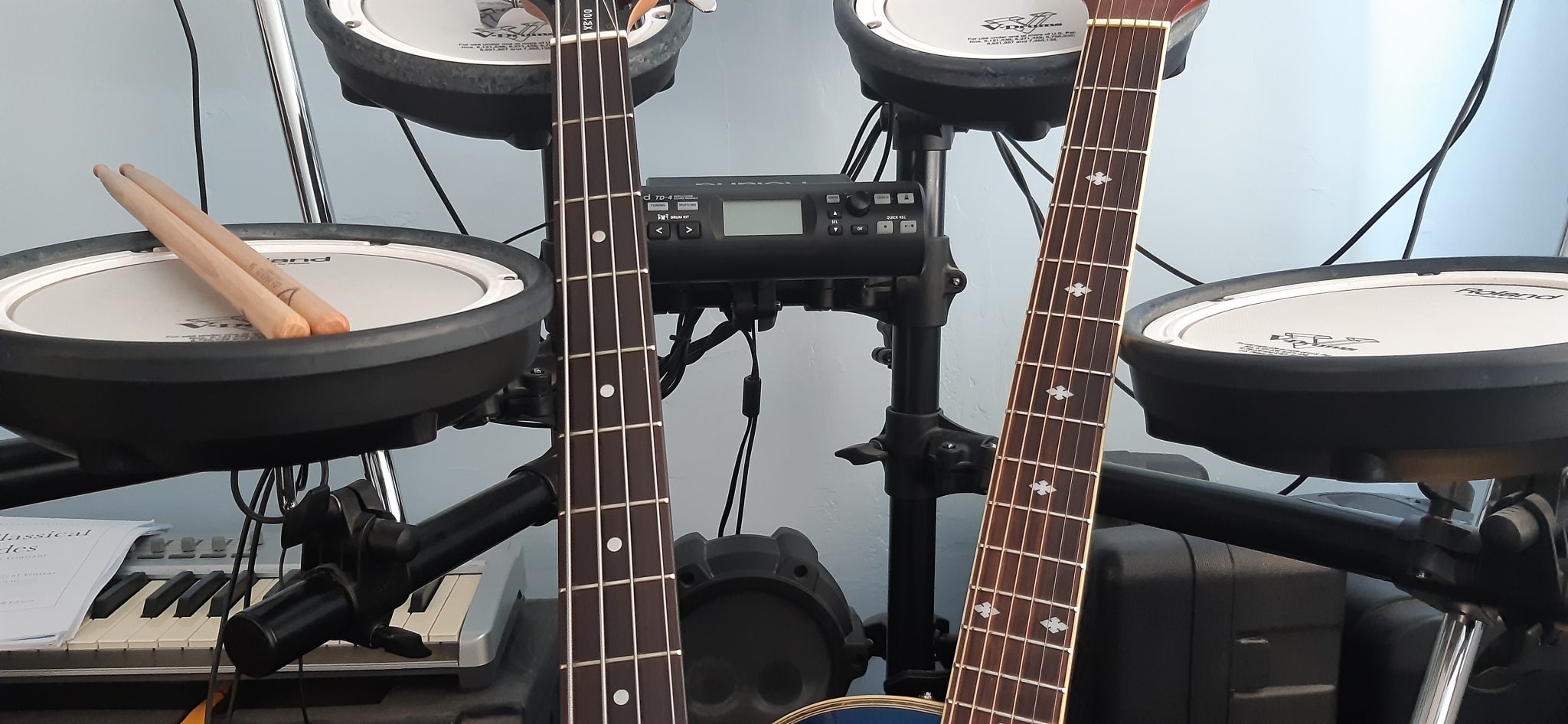
A Full Motion PC Monitor Arm can help you to read sheet music on your computer

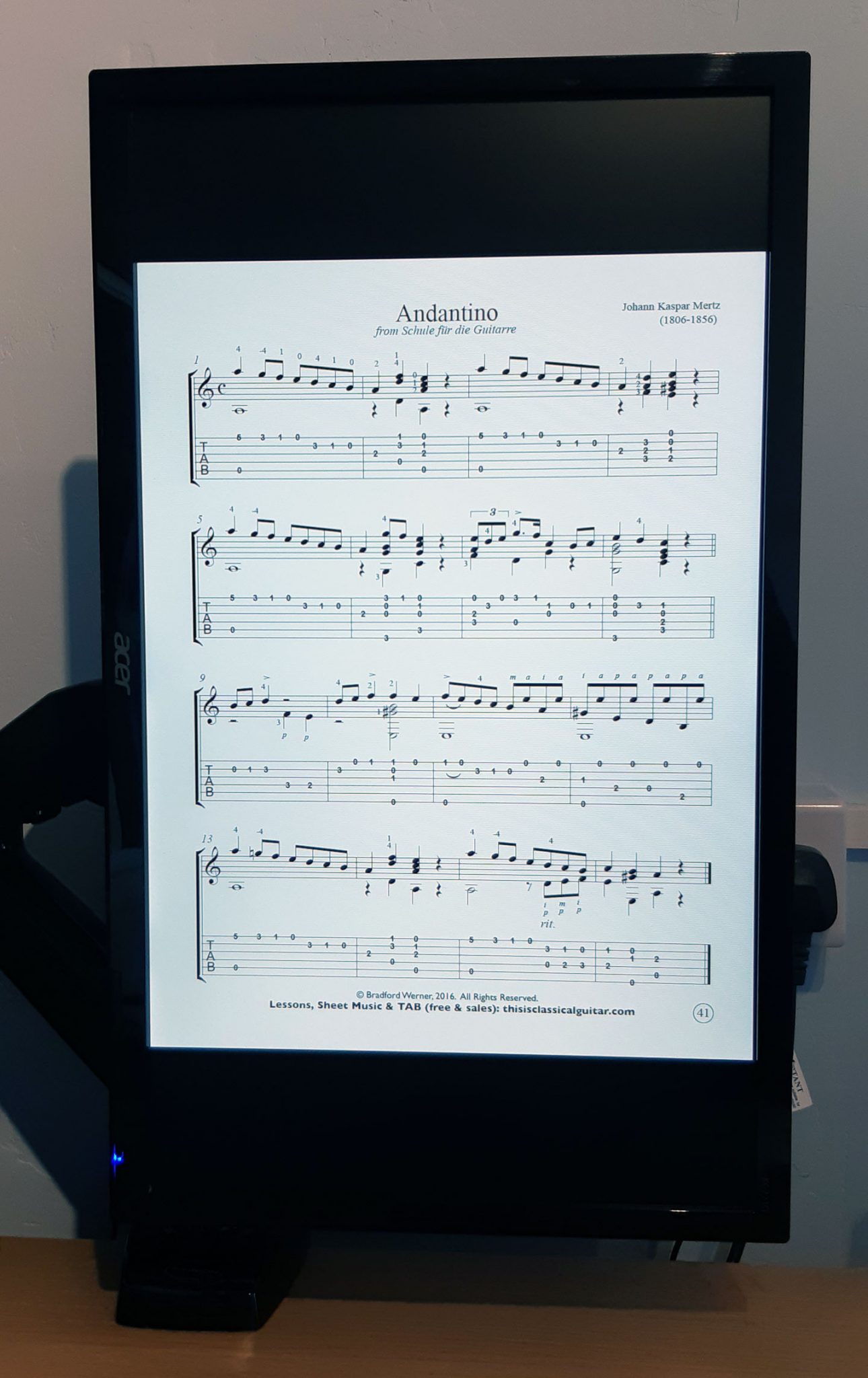
Today I installed a Full Motion PC Monitor Arm to my desk so that I can rotate my PC screen to read sheet music easily.

As I have been doing more teaching from home, and also have had more time to practice my instruments, I have been getting increasingly frustrated when reading music, because in Landscape mode it involves a lot of scrolling. You have to scroll much more frequenly than if the screen was in portrait mode.

I asked my techy gamer friend which one she has in her setup that I have seen, and she said to get this one, so I did.

Moving the monitor and benefits

I can now move the screen into portrait and load up a guitar book pdf and play away. You can go into full screen mode (Ctrl+L) and then press the down arrow key to move to the next page. Or you can use one of the other viewing methods without full screen mode and that way you can see a bit of the next sheet, and then press the down arrow to scroll or PgDn button to jump lower, or use the mouse.

To move the monitor, you can grab the screen and twist it around to make it portrait or landscape, or anything in between. You can also tilt it forwards and backwards and also move it left to right so that it can face someone to your left or right. This I think will come in very handy, because when I have been doing skype lessons on drums, I have been dragging my monitor around to face the drums, so this will be much easier, as you ust move it and then it stays in that position, so no screwing etc to move it.

How to change from Portrait to Landscape

To change the screen orientation to portrait in windows 10, you can right click on the desktop and click ‘Display Settings’ and change it there. My graphics card doesn’t allow the hotkey to change it annoyingly, but most people can change the screen orientation by clicking Ctrl+Alt+arrow keys.

Other Uses

The arm will help in lots of other ways too, like moving the screen so I can see it from the floor for workouts. I have been using the office to do home workouts from centr.com (unleashed and the da rulk masterclass have been enjoyable) and some others like Shona Virtue’s Fitness Programme after purchasing a cheap 8kg kettle bell from Aldi (was a rare find as weights were scarce).

I’m sure it will come in handy for positioning the monitor for gaming too, with a particular interest in F1 games.


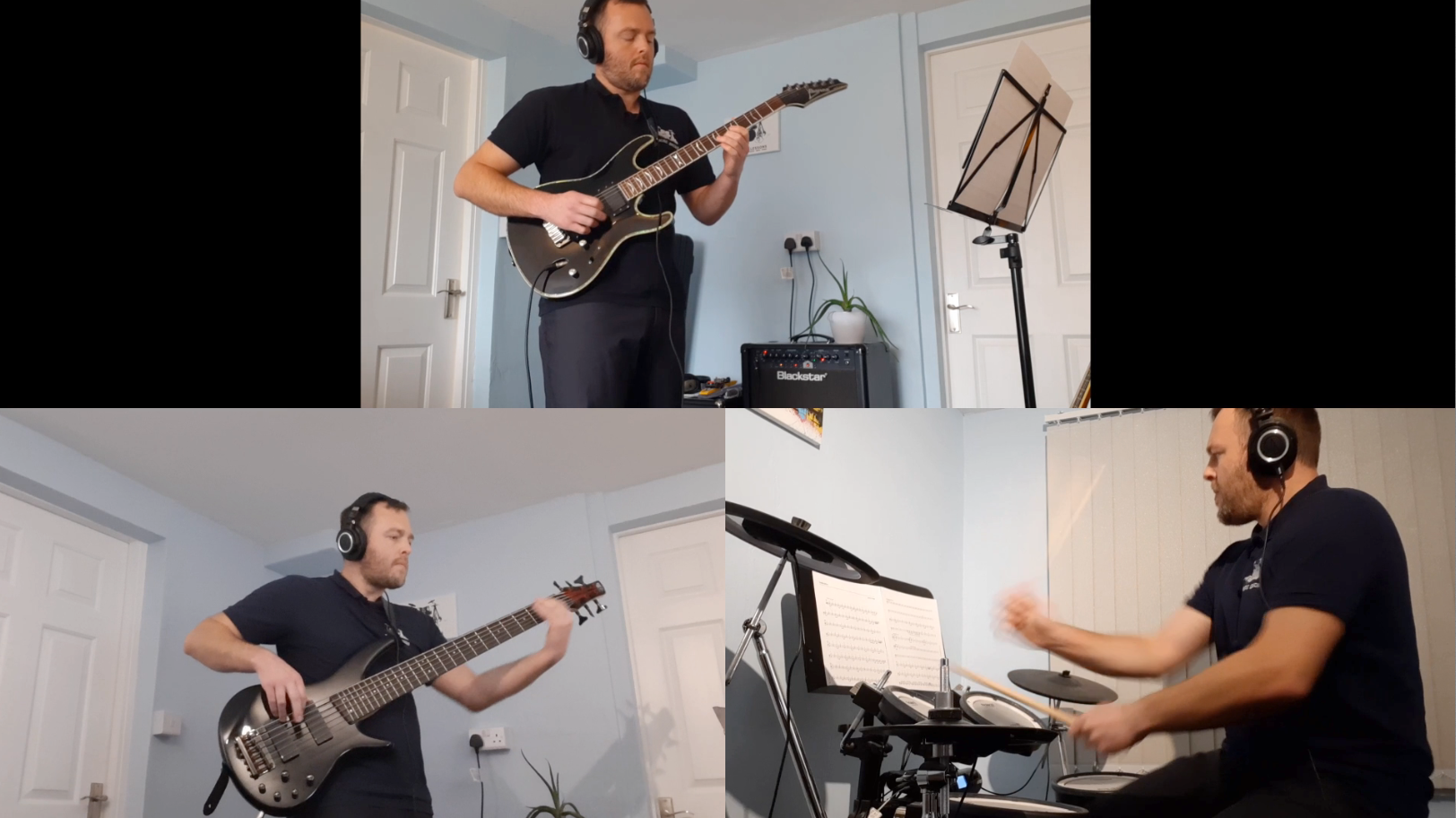
Guitar Drums and Bass performance of ‘Indecisive’ – Rockschool Grade 3 Piece

Many of my students have learned this piece and passed their exams. It’s an enjoyable piece to play with lots of energy and it’s deceptively hard to perform the whole song without mistakes.

The videos were recorded using a phone camera and a Zoom HD1 microphone.

I think these performances would get a fairly good mark out of 20 in an exam. Maybe 19 out of 20 each. I think the guitar performance was probably the strongest out of the 3, as there were small misakes in the others. But overall, I hope this is a good demo of the song and a good chance for students to see how the songs are played by each instrument, and give examples of the type of solos you could play in the song.

6 Rock & Blues Play Along Backing Tracks [Premium]

Contents

6 Rock & Blues Play Along Backing Tracks (with full sheet music)

★ Over 30 PDF Files of Sheet Music ★ Over 60 MP3 Tracks ★ 6 Guitar Pro Files ★

Buy Now ⟶

Listen to the 6 tracks here:

  1. Blues in A (Sun Shines Through The Window) – Play Along Track 1

Grade 3 Lead Guitar & Barre Chords
Grade 1 Guitar
Grade 1-2 Ukulele
Grade 3 Bass Guitar
Grade 1-2 Drums
Lyrics for the Verses

  1. Blues in E with swing – Play Along Track 2

Grade 3 Lead Guitar & Barre Chords
Grade 1-2 Guitar
Grade 1-2 Ukulele
Grade 3 Bass Guitar
Grade 1-2 Drums

  1. Slow Rock in A Minor – Play Along Track 3

Grade 3-6 Lead Guitar
Grade 2 Guitar
Grade 3 Guitar (Barre Chords)
Grade 2 Ukulele
Grade 4 Bass Guitar
Grade 1-3 Drums

  1. Alternative Rock in E Minor – Play Along Track 4

Grade 6 Lead Guitar
Grade 2-3 Guitar
Grade 2-3 Ukulele
Grade 3 Bass Guitar
Grade 3-4 Drums

  1. Indie Rock in C – Play Along Track 5

Grade 3-5 Lead Guitar
Grade 2 Guitar 1
Grade 2 Guitar 2
Grade 2 Ukulele
Grade 3-5 Bass Guitar
Grade 3-4 Drums
Grade 2 Easy Drums

  1. Funk Rock in A Minor – Play Along Track 6

Grade 5 Lead Guitar
Grade 2 Guitar
Grade 3 Guitar
Grade 2 Ukulele
Grade 5 Bass Guitar
Grade 6 Drums
Grade 2-3 Easy Drums

Written and self published in 2020 by Theo Lawrence / TL Music Lessons.

Introduction

When the UK went into lockdown in March 2020 due to Covid-19, I quickly moved many of my lessons onto Skype/Zoom online lessons. I decided to make some of my own songs for my students to play so that they had backing tracks to play along with when they had learned and practiced the songs. I wanted to make sure they were possible for them to play, whilst also being a challenge to learn them. By the end of June, I had written these 6 songs and they felt like they worked together as a set of pieces to share with the world.

My students are all at different levels. Many of my beginners pupils of primary school age have been having lessons for at least a year or several years, so I wrote the lowest ability parts at Grade 1-2, and sometimes elements of Grade 3. I also have some grade 4-6 pupils on Guitar, Drums and Bass, so I wanted to make parts for them too. With all those parts together, there is something for almost everyone in here – just not for complete beginners because they need to work on the basics before learning these pieces.

People that might find this book useful

  • Guitar, Ukulele, Bass and Drum teachers can use these resources in their teaching or for their student’s performances.
  • Guitar, Ukulele, Bass and Drum students can teach themselves to play the music if they are able to read the sheet music. The backing tracks can then be used to practice with.
  • The Backing Tracks could potentially be used for school performances, such as for GCSE (check with the music teacher at school for song choice suitability.


About the PDF Sheet Music

These are the overall ranges of grades that the instruments cover in this selection of 6 songs. There are separate PDF files for each instrument part.

Grade 3-6 Lead Guitar
Grade 1-2 Guitar
Grade 3 Guitar Barre Chords
Grade 1-3 Ukulele
Grade 3-5 Bass Guitar
Grade 3-6 Drums
Grade 1-3 Easy Drums

About the MP3 Audio Files and the Guitar Pro Files

There are at least 3 different speeds of backing tracks available for each song. With performances in mind (such as for school GCSE submissions, school performances, or Eisteddfod entries), I have also included mp3s for each song without Lead Guitar, without Drums and without Bass Guitar. There are also one or two extras in there, such as ‘Just the Ukulele Part’ for some songs where I felt they would be especially helpful. If you need backing tracks that aren’t in the download pack, I strongly suggest investing in a copy of Guitar Pro, because you can do so much with these files. You can make the pieces be any speed you want, you can edit the parts, you can change the sounds of the instruments, and you can make your own mp3s and pdf files with it. You can also turn on the metronome and loop sections.

Summary

During the last few months, I have noticed that my students that carried on with online lessons have seemed to progress more than usual. I’m not sure if it’s the extra time at home with less going on, or if it’s these songs with backing tracks. I’d like to think it’s a mixture of all of those things, and probably more. I can say for sure that these pieces have gone down well with all of my students and that the range of techniques and rhythms included in the songs have been beneficial for them. It’s also been a nice outlet for me – it’s been like songwriting again (I’ve had a substantial break from it), and even though I was purposely trying not to write things that were out of reach for my students to learn, I was also enjoying the creative flow, and at times really went for it. I got really into the lead parts and was quite creatively free with those mostly, and on the drum parts I added my own style and flair into them, especially on the last piece with adding in fast double strokes on the hi hats and fills.

I hope you enjoy learning / teaching with these pieces.

6 Rock and Blues Play Along Backing Tracks

Buy Now ⟶


Theo Lawrence

www.tlmusiclessons.com

www.learndrumsforfree.com

www.payhip.com/tlmusiclessonsdrums

www.learnguitarforfree.com

www.payhip.com/tlmusiclessons

https://www.pinterest.com/tlmusiclessons

https://facebook.com/tlmusiclessons

Warm Up Tabs for Guitar, Bass & Ukulele – Scales & Arpeggios

We’re still in lockdown in Wales (UK), and we can only travel 5 miles. I’ve been busy teaching online lessons and also have done a lot of DIY projects around the house. I thought I would have had loads of time to update my blogs but I’ve been too busy! However, my students that have carried on have been burning through their grades and practicing more than ever. Here are a few scales warm ups I’ve been adding to their new practice plans, which I’ve been writing with google docs and sending the parents a link to so they can see updated practice notes whenever I add new things to it.

At the end of the post, there is also a bonus chord exercise challend for you to try.

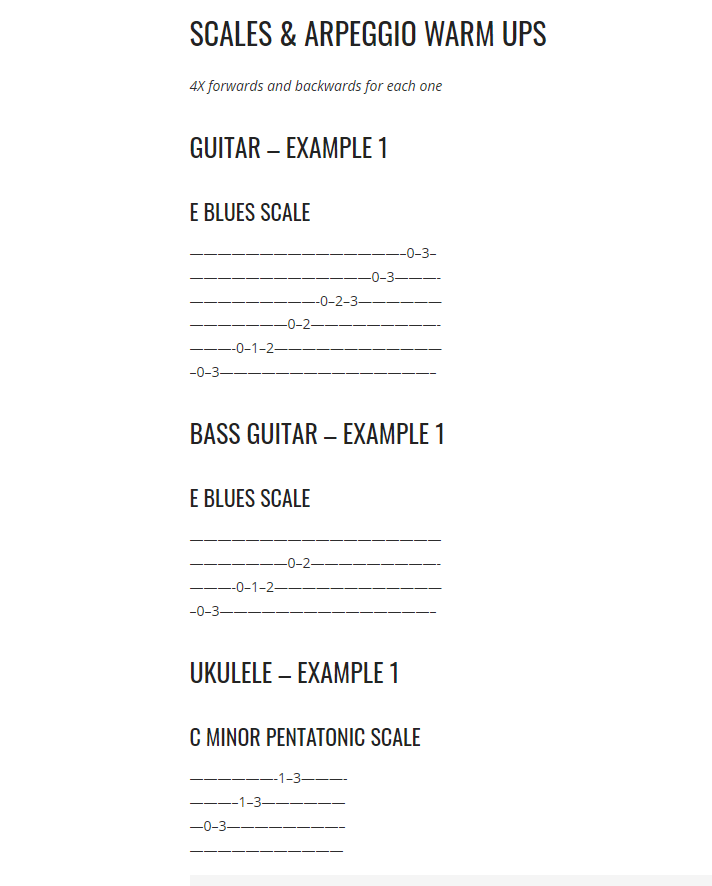
These scales, arpeggios and chords exercises are good for any beginner or intermediate player that has been learning guitar for a while and has the ability to read tab. You might be used to reading proper sheet music, like on the rest of the website, but the tab is essentially the same. You have 6 lines (4 for ukulele), and the top line is the bottom string on the instrument. So the bottom line on the tab is the thickest string on the guitar. You’ll see tab elsewhere on the internet like on ultimate-guitar.com, so hopefully everyone will be able to read these.

Hopefully you can find these an enjoyable way to warm up whilst stuck at home. Run through all of these as a warm up so you’re not neglecting your scales, and then go and learn something else like you would in a guitar lesson. Perhaps learn a song or maybe some chord progression exercises or learn to play a guitar solo from a song you like.

Scales & Arpeggio Warm Ups – Guitar

4X forwards and backwards for each one

E Blues scale

———————————————–0–3–
—————————————0–3———-
—————————-0–2–3——————
———————0–2—————————-
———-0–1–2————————————
–0–3———————————————–

A minor pentatonic scale

Fret 5 = 1st finger, Fret 6 = 2nd Finger, Fret 7 = 3rd finger, Fret 8 = 4th finger

————————————–5–8——
——————————–5–8————
————————–5–7——————
——————5–7————————–
———-5–7———————————-
–5–8——————————————

G major scale

———————————————————5–7–8–
———————————————5–7–8————-
———————————-4–5–7————————
———————–4–5–7———————————–
————3–5–7———————————————-
-3–5–7———————————————————

A major arpeggio

Fret 4 = 1st finger, Fret 5 = 2nd Finger, Fret 6 = 3rd finger, Fret 7 = 4th finger

————————–5—-
———————-5——–
——————6————
————–7—————-
——4–7———————
–5—————————-

A minor arpeggio

Fret 5 = 1st finger, Fret 6 = 2nd Finger, Fret 7 = 3rd finger, Fret 8 = 4th finger

————————–5—–
———————-5———
——————5————-
————–7—————–
———-7———————
–5–8————————–


Scales & Arpeggio Warm Ups – Bass Guitar

4X forwards and backwards for each one

E Blues scale

——————————————————
———————0–2—————————-
———-0–1–2————————————
–0–3———————————————–

A minor pentatonic scale

Fret 5 = 1st finger, Fret 6 = 2nd Finger, Fret 7 = 3rd finger, Fret 8 = 4th finger

————————————————
——————5–7————————–
———-5–7———————————-
–5–8——————————————

G major scale

———————————-4–5–7—9—11–12—-
———————–4–5–7——————————–
————3–5–7——————————————-
-3–5–7——————————————————

A major arpeggio

Fret 4 = 1st finger, Fret 5 = 2nd Finger, Fret 6 = 3rd finger, Fret 7 = 4th finger

——————————-
————–7—————-
——4–7———————
–5—————————-

A minor arpeggio

Fret 5 = 1st finger, Fret 6 = 2nd Finger, Fret 7 = 3rd finger, Fret 8 = 4th finger

——————————–
————–7—————–
———-7———————
–5–8————————–

Scales & Arpeggio Warm Ups – Ukulele

4X forwards and backwards for each one

C minor pentatonic scale

——————-1–3———-
———–1–3——————
—0–3————————–
———————————

C major scale

———————-0–2–3—-
———–0–1–3—————
—0–2————————–
———————————

D minor scale

——————-3–5———-
———–3–5——————
—2–5————————–
———————————

D major scale

———————-2–4–5—-
———–2–3–5—————
—2–4————————–
———————————

E natural minor scale

—————————5–7——-
—————5–7–8—————-
—4–6–7—————————-
————————————–


Bonus Chord Exericse

How many times can you play these chords in 1 minute?

Set a countdown timer for 1 minute. Strum each chord once and then repeat when you have done all 3 chords. Count how many times you go around them in 1 minute.

Challenge 1: A, D, E.
Challenge 2: E, A7, B7.
Challenge 3: A7, D7, E7.
Challenge 4: Am Dm7 G.
Challenge 5: C F G.

How peripatetic music teachers can keep working if the schools close

Here in the UK the schools are still open and it’s business as usual but last night I sent out an email asking if parents would be up for skype lessons and the response has be overwhelmingly positive. I’ve made a rule that a parent or guardian must be there for the lessons.

I have been teaching skype lessons successfully for over 3 years, and I currently have a skype Drummer that has just taken her Grade 5 drum exam. All the parents need to do is download the Skype app on their smart phone for free and the calls are free.

If we don’t do the skype lessons, I have to refund the missed lessons on the next invoice, so it’s not worth relaxing at home when I could keep some of the work going for the ones that still want to keep the lessons going.

This gives me hope for when we have snow days, or flooded days, if this works.

It’s starting to be heart warming to see people respond in positive ways, like the italians singing in their balconies, and this morning seeing a singer who’s first european tour has been cancelled, doing a live social media tour, it is just inspiring.

Stay safe and stay positive 🙂

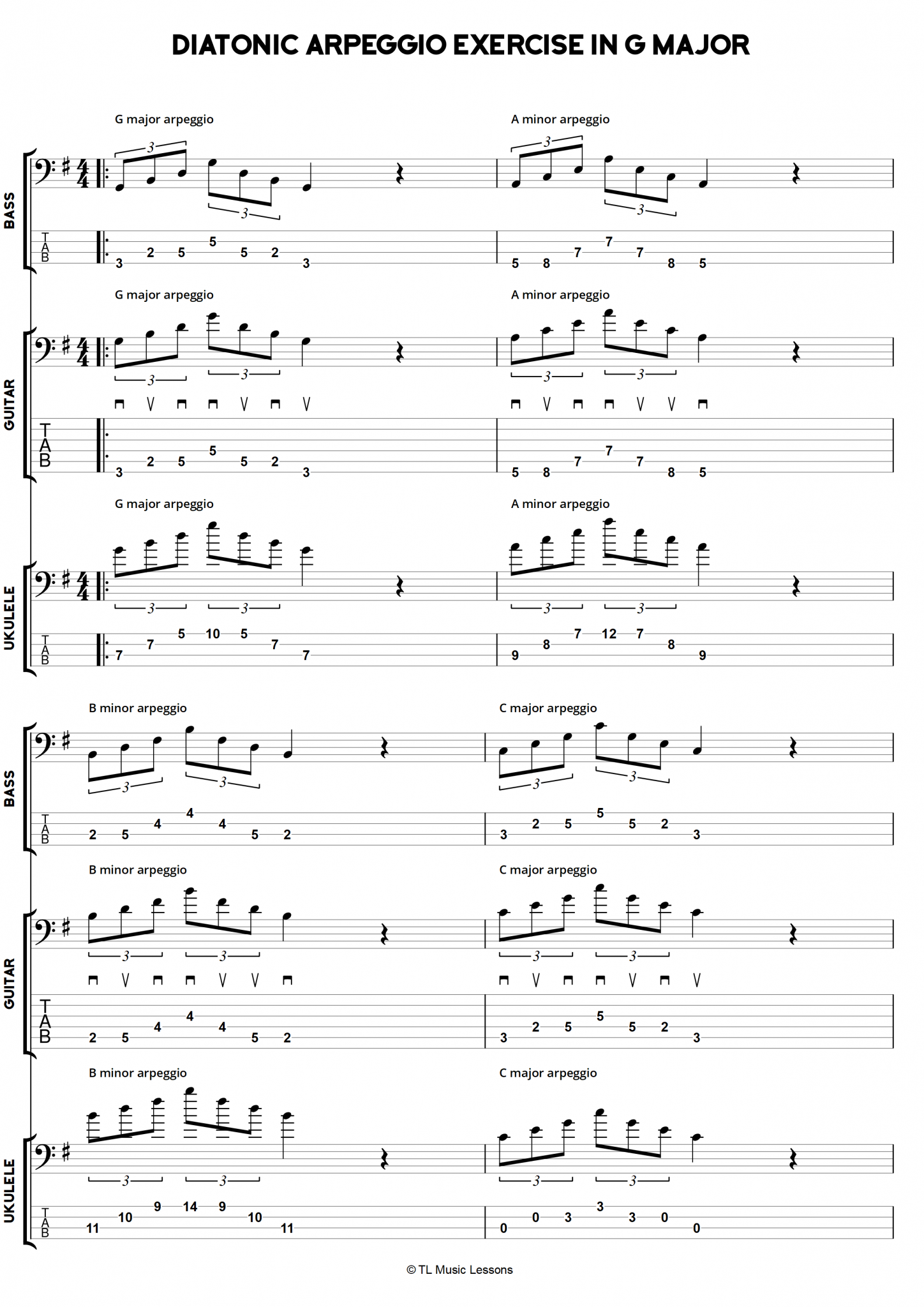
Diatonic Arpeggio Exercise in G Major

This arpeggios exercise has a sequence of 8 arpeggios and has sheets for Guitar, Bass and Ukulele.

The guitar and bass sheets are essentially the same, although the guitar part has picking instructions for downs and ups. For bass, you could probably use the guitar downs and ups. I use my fingers on the bass and I would play these with a walking right left right left of the first two fingers. I think most people start with their left finger (index finger) but I’ve always led with might right finger (middle finger), because following a RLRL pattern is more familiar as I play drums too.

The diatonic sequence is going up the G major scale and making each note into a chord that theoretically fits, and in this case turning them into an arpeggio.

With the repeat at the end, I have suggested to play through the sheet 2 times as a whole exercise. You may like to practice each arpeggio individually at first or if you are making mistakes.

Free File Downloads

Guitar PDF
Bass PDF
Ukulele PDF
Guitar Pro 7 File

8 Great Albums and EPs Recently Released by Female Musicians

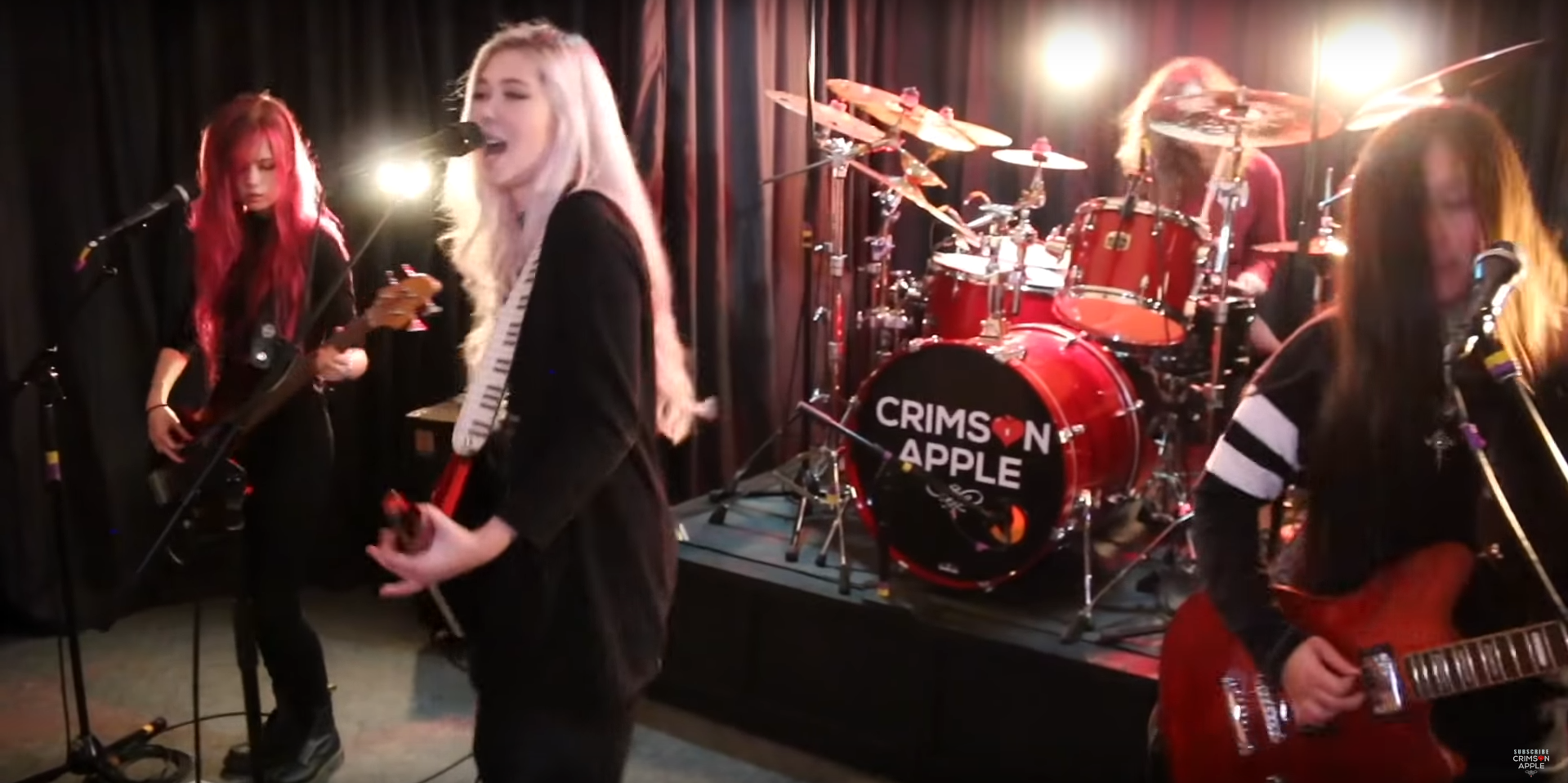
Featured Image is Crimson Apple – New Album expected in 2019.

This small list is a showcase of some of the albums and EP’s that I’ve been listening to with female musicians in. I’ve grown up around female musicians my whole life, so it’s strange for me to mainly see men playing instruments at the majority of concerts I’ve seen. If you don’t count singers, there are so many more male musicians represented in music and at music festivals, but it’s certainly changing.

Turn Out The Lights – Julian Baker

Boygenius EP – Boygenius

Dissolve – Tusks

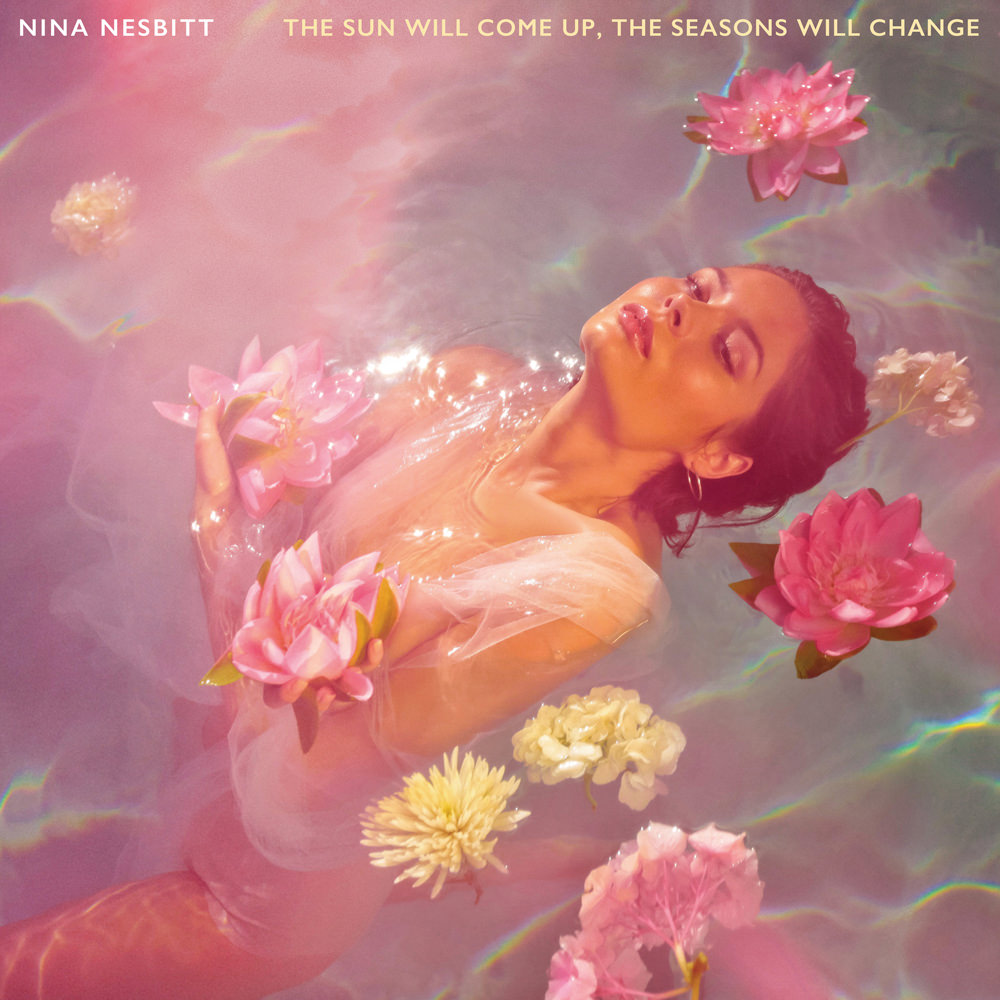
The Sun Will Come Up, The Seasons Will Change – Nina Nesbitt

Flow State – Tash Sultana

Something To Tell You – HAIM

Hunter – Anna Calvi

Under Northern Skies – The Glass Child

Sheet 1 – Rock Riffs – Bass Guitar

I’ve finally got another bass guitar student! I teach so many weekly guitar drums and ukulele lessons but I haven’t had a bassist to teach in 2 years. This is an example of why bands find it so hard to find a bass player.

This new student is a complete beginner on bass so I’m rebooting some of my old bass guitar lesson prep ideas and applying it to the new ‘Easy Reading’ designs I have been making for guitar and ukulele, which have really helped with teaching beginners.

Here is a sheet with 4 rock riffs for bass guitar. It uses notes from the E minor pentatonic scale. It’s all fairly easy and ideal for beginners. Keep repeating each exercise for a while and get into a groove before moving on. If you are really keen, try playing in time with a metronome. For many complete beginners though, it will be a matter of playing through each riff slowly.

For the complete beginners, read from left to right and play each number as it comes up. So on Riff 3, the sequence would be 0 0 3 3 0… 2 0 2 0 2 0. The top line is the 1st string, and that’s the thinnest string on the bass. The strings are numbered 1-4 on the left hand side.


Update, Jan 2019: I now have 3 bass students, which I’m really pleased about, so I hope to post more bass exercises soon on the website.

30 essential productivity apps, business management tools and other apps or websites that help to run an online business and a local music teaching business

Here is a list of 30 essential productivity apps, business management tools and other apps or websites that help to run an online business and a local music teaching business.

The list here is what suits me and keeps me going as an individual business. There are other things I use but these are the main ones. These may not be suitable for everyone but they are all things that I happily recommend to others. Some are obvious, like the google products, but you might find a few that you haven’t heard of in the list.

Below the list is more information about how I use the things in the list to operate my businesses.

1. Google Calendar & synced to phone calendar (scheduling and also useful for setting reminders at specific times)
2. Google Docs / Spreadsheets (for creating invoices, records of who has paid, income spreadsheets). For offline and advanced database use, Libre Office Sheets and Calc are free and are just as good as Word and Excel imo.
3. Google Drive (access everything on the move; lesson plans, ebooks, records of who has paid invoices)
4. Google Keep (for saving photos or notes on the move)
5. Gmail (email)
6. Google Maps & Belkin Phone Holder (replaced sat nav)
7. Google Contacts (can group contacts into categories such as school names)
8. Remember The Milk (to do list, web and mobile app)
9. Mailchimp (mailing lists)
10. Payhip (for selling ebooks)
11. Paypal (payment processing)
12. Bandcamp (for audio downloads)
13. Ditto Music (digital distribution for music)
14. Sentric Music / Hit Licence (pitching music to tv / film etc)
15. BBC Weather Web / App (Try to dress for the weather)
16. WhatsApp (Reluctantly stay in close contact for certain projects)
17. Adsense (advertisement revenue)
18. Phone’s native clock, countdown timer and calculator
19. Heart Internet Web Hosting and Domains (to power the websites)
20. Drupal & WordPress (CMS for websites)
21. Spotify (always have access to songs that I need to teach)
22. DaTuna app (tune guitars using phone – android)
23. Justin Guitar metronome app
24. Abelton Live 9 (Suite) – Education Price (DAW for making music)
25. Dropbox or Wetransfer.com (sending / sharing large files)
26. Landr (Cheap and Easy Mastering Service)
27. Adobe Photoshop & Adobe Illustrator (for all artwork needs such as posters, music artwork, ebook covers, web banners etc.)
28. Adobe Acrobat Pro (for creating ebooks from single pdf files)
29. Guitar Pro (for creating lesson plans and sheet music for ebooks)
30. Quickbooks Self Employed (Used for Invoicing students’ parents every half term and for forwarding email receipts to record them in Quickbooks. It is basic, but it suits my needs.)


I do most of my work from a desktop computer. It’s pretty old school I know but actually I like sitting down at the desk and getting immersed and then being able to walk away and leave it, rather than have the temptation of trying to work on the sofa (I know some people that prefer the sofa though!). I keep my mobile contract slim and use a cheap to mid range phone, which is a smart phone, but it doesn’t cost loads.

My bookkeeping, teaching schedules, invoices, paid lists, have all been done using my own system of documents and spreadsheets that are quite refined and easy to use for my business now. I have recently moved onto Quickbooks Self Employed for invoices, which has made writing and sending them easier. My process to record payments for school lessons used to be to input it into a spreadsheet, then copy and paste into a ‘paid’ documents file for each given half term and school, and delete the pupil’s name that has been paid for. I would then check who still needs to pay. My invoices use a template I made and I had a copy of that in the same folder as the paid file for each half term and school name. The invoices always include payment info and at the top of that list is bank transfer details because that form of payment has the least admin for me. I then export that as a pdf file and email the parents at the start of a half term. Mostly I have to make different ones for each half term and ammend for different pupils if they have missed lessons or have not paid for a half term.

I also have a spreadsheet of all of my pupils in each school and their instrument and time details, and rows of checkboxes so I can print them off and use them as a rota for the half term. In high schools the rotas need to have time slots added to the rota. For primary schools, they are too hectic and unpredictable to make rigid timetables for, so I don’t bother. At the start of a new half term, I will copy over all the files from the previous half term and begin editing them for the next one. Usually the amount of weeks per half term changes so there is always something to change. I leave an extra list of pupils per school in the paid files so that I can copy them into a fresh ‘unpaid’ area below, and then I can delete them off as they pay.

I keep an up to date copy of parents’ email addresses in Google contacts and group them into different schools and also give them instrument tags incase I need to email all of the guitarists for something at once. I always try to email the parents using the bcc send field, and this is easy on a computer with a mouse because you can select all the contacts from google contacts, and click to send email, then drag all the addresses into the bcc field. I also have a mailchimp list but it’s not easy to keep that updated as well so I tend not to use it. I do for my website subscribers though.

For my websites www.learndrumsforfree.com and www.learnguitarforfree.com most of the files are hosted on the websites. I learned how to make websites before starting to teach, which has really given me the tools to build an online business too. I learned html and css using an O’Reilly book and the rest followed from there. Actually it all started from the coding features on myspace when bands could change the styles on their pages and adding in banners etc. My sister does web design and artwork in the music industry and she said that probably started her off too, or gave her the coding bug. I use dreamweaver to edit code because the colours are useful, but other free ones are available, and filezilla for ftp file transferring.

I use payhip for all of my pdf ebooks, which is the best I have found. It links to paypal for payments and it has just added a feature to automatically add customers to mailchimp lists. People that download free ebooks are added to my regular subscriber list for upadtes of free blog posts, and paying customers are added to a special list, which I send info of new ebook products to when they are released. Bandcamp is used in a similar way for audio and music, although their mailing list integration is not as good so I can’t really use that effectively at the moment unless I set up more accounts and then export email addresses to the appropriate subscriber lists.

I have found that social media is pretty much a waste of time for my online business at the moment but the mailing list is great, and actually pinterest generates the most hits, so I do chose to get rid of all but the pinterest. It’s all about finding what works for your business and choosing the right platforms to get the most out of your time and effort.

I get many hits per day on both sites quite often and almost all the traffic is organic from search engines. It’s taken years to build up so it really is a lot of hard work but adding to it “little and often” really helps build up a huge site over time. Most of my ebook sales follow searching for free stuff from organic google searches and then discovering the ebooks. I believe this is called a “fremium” business model. When I launch a new ebook and send it to my paying customers mailing list, I usually get quite a few sales from them, so that is really useful for me and them.

Hopefully this gives gives you ideas for your own online business. I tried in the past setting up my own ubercart shopping cart and hosting everything myself, but I had to switch to payhip due to new EU tax rules on digital products. It was too hard to manage myself but payhip and bandcamp both sort sll this out for you. For every ebook sale, payhip takes off the tax, which is different depending on each country, from the money I receive, so they literally take care of everything without me needing to register to pay tax in every country. It completely took the hassle away from thiose new laws.

I also make music and play in a band so I have an unlimited ditto music subscription to release to spotify and itunes etc. whilst bandcamp is the best, not all customers are used to that so you kind of have to make things available where the customers are.

Guitar Pro is the best in my opinion! I’ve tried Sibelius but that’s probably only better for orchestral stuff. Guitar Pro is amazing for most instrumentsl sheet music writing, including guitar, drums, ukulele, bass and even instruments such as flute and piano. I always use it for all of my sheet music. I even use it to export midi to Abelton sometimes, rather than using the piano roll to input midi.

Abelton has been great for making music from midi, recording my own music, making backing tracks, and for teaching other music production. The education price helped me to buy it. Landr is a quick, easy and cheap way to finish off tracks so they are ready to release. The mastering is pretty good. I subscribe for a month and then cancel it when I am done.

All of the chaos that is my schedule is fairly organised with Remember The Milk and Google Calendar. Both can set tasks and appointments to repeat weekly or as often as needed, which is really useful. I use both services on the desktop and synced to my phone. My email is also really important for my business. I sometimes send emails to myself with important TO DO list items for that day, so I can’t possibly miss them.


Related: (www.learndrumsforfree.com) 10 tips and advice for running your own drum teaching business
Computer Games Music – PDF Ebook – Ukulele, Guitar, Bass Sheet Music with TAB

GUITAR: Get The Free PDF ebook Download →
UKULELE: Get The Free PDF ebook Download →
BASS GUITAR: Get The Free PDF ebook Download →

Also available for Drums


Full Ukulele Tab sheet music for 11 computer music songs. ‘Computer Games Music’ uses the MIDI from songs written by TL Music Lessons for teaching purposes using ‘Guitar Pro’ software. The MIDI is run through various synths in Abelton Live and the songs have been made faster. Drums and Bass Guitar have also been added to the original 10 Acoustic Guitar & Ukulele Songs.

Audio

In addition to this free sheet music download, the 11 track album ‘Computer Games Music’ by TL Music Lessons is available on Spotify, Bandcamp and other stores.

About the Sheet Music

Most of the pieces have 3 difficulty levels, so therefore there are 60 pages in the guitar book and 49 pages in the ukulele book ebook to accommodate all of the versions. The fast pace of the songs pushes up the difficulty level quite high in places. A slower, acoustic version of the songs can be found here. The bass ebook has 15 pages and there is only 1 difficulty level.

These could potentially be used as performance pieces in schools, or maybe even exams as a free choice piece if you ask an exam board. Feel completely free to use the audio as a backing track by downloading it from itunes or bandcamp etc and using it to play along with.

About The Music

Last year I made an album of 10 songs to teach with, and created 6 ebooks for the instrument parts. This year, I made an album of 11 songs called ‘Computer Game Music’.

This year I exported the MIDI files from 8 of those songs, plus 3 new ones, and began adding synths to the MIDI in my music production software Abelton Live 9 to create music that I think would sound good in computer games. I found it quite easy, quick and enjoyable to do when I initially messed about with one of the songs for fun. I then decided to start the project, which only took about a month of spare time to create the new album of songs. I also added drums and bass guitar to the tracks to finish them off.

The drums were created by me in Abelton using the MIDI piano roll and a drum rack. I really enjoyed this! I then transcribed the drum loops into actual drum sheet music for people to learn to play along with the music if they wanted to.

The drum sheet music has a wide range of ability levels from complete beginner (Canon in C), right up to grade 8 with some complicated syncopation at high speeds. All of the drum loops were created specifically for these songs. I tried to make the majority of the beats playable by a real drummer. I was able to transcribe and transpose most of the beats without altering them, but there were some that would need extra hands, such as the hand claps and clave polyrhythms, so these have been left out or modified where I thought appropriate.

Music makers and music producers can feel free to use the drum loops audio and midi as they wish. You may freely use them in your own compositions. School pupils may also use the drum loops pack as they wish for school projects or coursework, if this is within the guidelines of the work.

I hope that the songs can be used by a range of abilities. I would say most or all ability levels would find challenges throughout the album, depending on which instrument you look at. They are all quite challenging in places.

I hope that the songs can be used by more advanced players. Initially the previous album of music was created for grades 1-3 (guitar and ukulele only), but now for this new one, I would say most or all ability levels would find challenges throughout the album, depending on which instrument you look at. They are all quite challenging in places.
I also hope that the songs can be used as backing tracks for performances, for example in schools, and possibly as part of marked school performances or maybe even as free choice pieces in grade exams.

I also hope that my students will enjoy listening to the album after getting to know the songs in their different style.

Whilst the songs have not been created for any particular computer game, I will try to get some of the music featured in actual games. I think they would work well with platform and retro type games.

Deck The Halls – Guitar, Ukulele and Bass Melody and Chords Sheet Music with TAB

Photo Credit: Brendan C

Here’s a quick and easy melody to play on Christmas day that everyone knows. In the sheet music you will find the notation and guitar tab for playing the melody on guitar, ukulele or bass guitar. There are also chords above the melody, which can be played as an accompaniment.

Guitar Melody

Ukulele Melody

Bass Melody

Blank Guitar, Ukulele and Bass Sheet Music For Hand Writing Guitar Tab or Chord Charts – Free PDF

Get Free PDF Download →

Download the free PDFs to get unlimited access to printing your own blank guitar sheet music. You can use this to hand write your own guitar chord charts, scales, melodies, solos, or for writing out the guitar tab for a song. Teachers can use these to write out guitar music for their students. Composers and arrangers can print these off in order to hand write a quick guitar score, using chord names or adding tablature numbers.

There are no annoying watermarks or footer text – it’s just plain blank guitar sheet music staves with no writing.

All we ask is that you don’t distribute the PDF file on any other website or via email – please just link to this page if you want to share it.

These are in the PDF file in full size: