All That Jazz: How to Get Started Playing Jazz Guitar

Photo credits: Marius Masalar and Katie Montgomery.

Guest post by Know Your Instrument.


Eager to begin your jazz guitar journey but don’t know where to start? You’ve come to the right place to get the top tips for jazz guitar beginners. Here we’ll discuss the things you need to do first when you set out to become a jazz player.

Ready? Here we go!

Get the basics down

We’re talking about guitar basics. If you’re going to be playing jazz, it’s a must for you to already be able to play the guitar, and play it well. If you are confident in your playing skills, have a good mastery of chords and scales and have a repertoire that includes a few jazz standards (‘The Girl From Ipanema,’ ‘My Funny Valentine,’ and ‘Fly Me to the Moon’ are a few examples), then you’re ready to focus on jazz music.

If you’re not quite there yet, then we suggest getting more practice time in. Supplement your learning with more songs from various artists so you can further develop your ear – and your playing style – for jazz music.

Get a good guitar

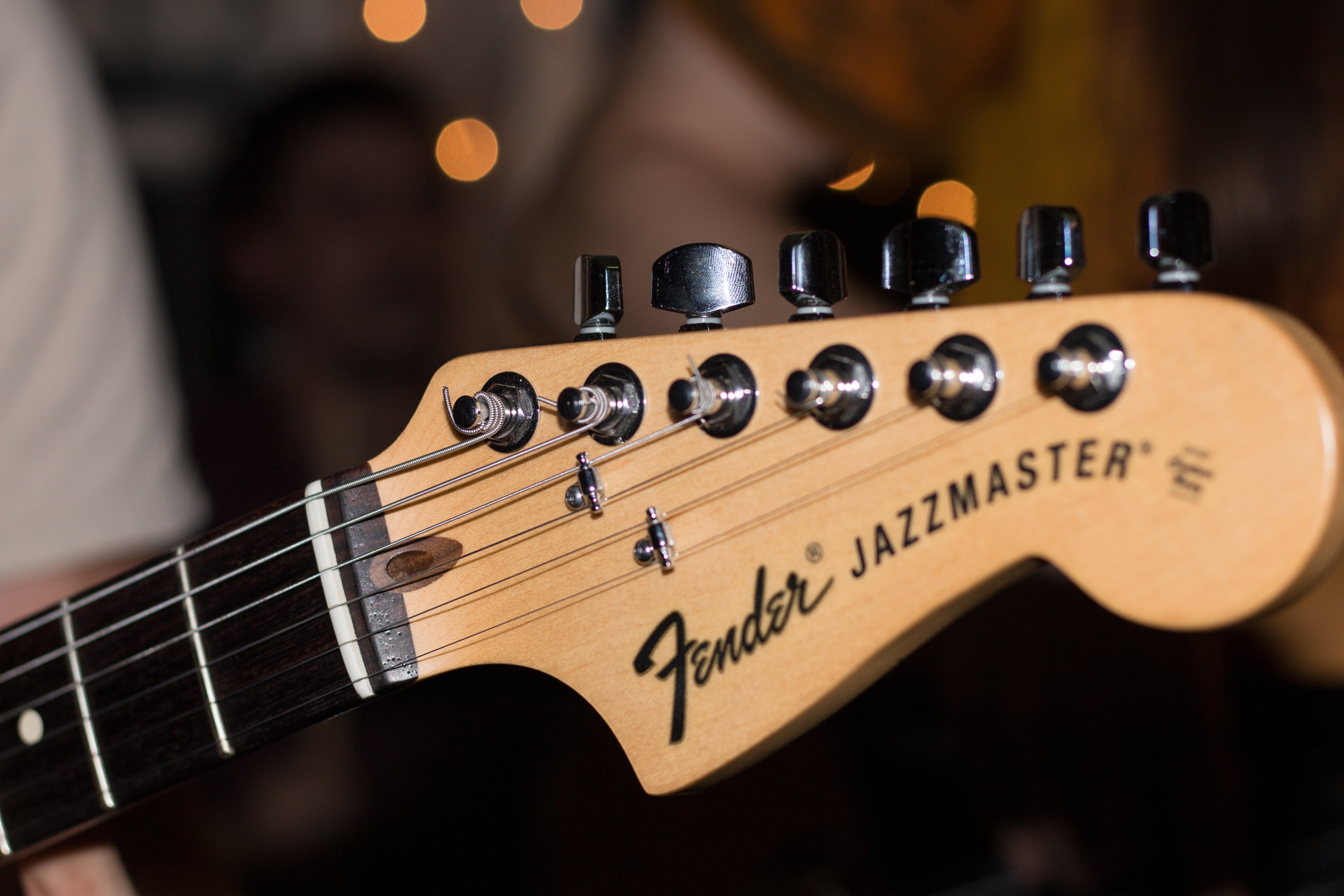
While you can definitely get a good jazz sound from a standard solid-body electric guitar, if you really want a really nice jazzy tone then you’ll have to get a guitar that’s designed for playing jazz music. Solid-body electrics are built more for rock, but there are those like the Fender Jazzmaster that’s really built for jazz.

Of course, nothing beats semi-hollowbody and hollowbody guitars when it comes to making jazz music. Some of the best guitars for jazz are of these body types. Check out the Gibson ES-335, Epiphone Sheraton II-PRO and the Ibanez Artcore AS73, which are all semi-hollow, and the Epiphone Emperor Swingster, which is a hollowbody guitar. For budget-conscious beginners, the Epiphone and Ibanez models come highly recommended.

Learn to read music


Legendary jazz guitarist Wes Montgomery couldn’t read notes but he didn’t really have to, being the fretboard genius that he was. Unfortunately, many of us don’t have the same natural, innate ability to create melodic lines and navigate our way across the fretboard without the aid of music sheets.

So, unless you have Montgomery’s talent, reading music is a skill you must learn to become a good jazz guitar player. This skill is a plus too if you’re looking to teach guitar or compose your own music in the future.

Expand your repertoire

Once you’ve started to listen to more jazz tunes and read music, you can now increase your repertoire and really learn to play jazz. Start with songs you like – learn to play the melody first and then the chords. Break down each section and get it right before moving on to the next.

The more you listen and play, the more you will be able to internalize the rhythms, melodies, harmonies and the various song forms in jazz music. You won’t simply be imitating or memorizing jazz standards, you will actually be expressing jazz. This will not only help you in doing improvisations but also in becoming a better jazz guitarist overall.

Final Word

The most important thing you need to do when you start learning jazz guitar is to develop a thirst for knowledge. Keep on learning and honing your playing skills and technique. Be conscious of what you still need to know and improve on to become a better player and work on it. Practice regularly and soon you’ll be able to improvise with ease, play sophisticated solos and express your own musical voice. Good luck!
Portable Keyboard for Practicing Piano: What to Look for?

Image by PIRO4D from Pixabay.

In cooperation with consordini.com.


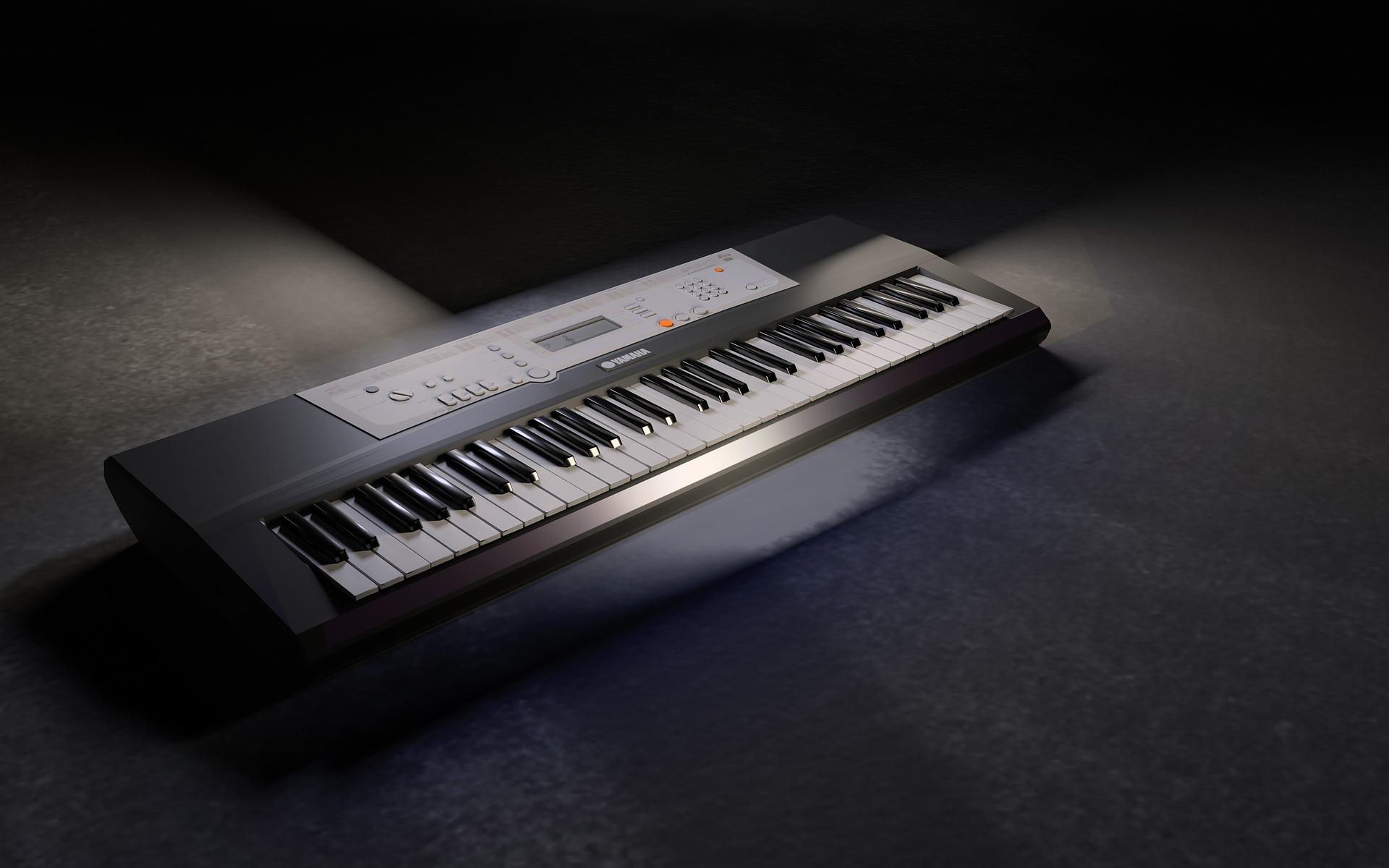
One of the biggest disadvantages of playing the piano is that you can’t throw it in a case and take it with you. This is why many pianists use portable keyboards for practicing piano.

A keyboard you can carry with you at no great inconvenience is wonderful, but it comes with very obvious compromises.

First, let’s talk about the glaring advantage, it’s portable! There are a lot of reasons that make having a portable keyboard an appealing option.

A common choice of keyboard for performers is the Nord Stage 3, it can be moved but it’s very heavy. Similar keyboards/synths have the same issue, Yamaha MOTIF, Roland Fantom, they are all heavy.

Many musicians choose to save these kinds of keyboards for gigging and take something much lighter to rehearsals.

You might be going on a trip that doesn’t involve performing at all but still want to practice piano. Even at home don’t underestimate the value of a portable keyboard.

If you have a busy household, finding a quiet spot to practice piano can be difficult. Having something you can move from room to room quickly and easily might be your only way.

For these reasons and many more, a portable keyboard is a very desirable option.

What it really comes down to is the question what do you need it for? Depending on your needs there will be acceptable and unacceptable sacrifices.

Sound Quality

Before even thinking about the obvious things like size and weight, let’s talk about sound.

If you are buying a portable keyboard primarily for practice, then the price will likely be a factor. High-end keyboards with amazing sounds tend to be heavy. Cheaper portable keyboards don’t tend to have the same quality or range of sounds. If you want it mainly to practice alone this won’t be as big an issue for you. But if you are using it for group rehearsals then it’s a different story.

In a group setting, you need to consider how much the actual sound affects the practice. For example, a song with a very specific synth sound may not feel the same with another sound. So, you have to consider both the positive and negative impact on your rehearsal time.

I should also be clear that you can get lightweight, portable keyboards with amazing quality and range of sound. That’s if you are happy to pay a higher price.

My first suggestion would be to consider sound quality versus price. This should help you figure out where you can and can’t sacrifice.

Number and Weight of Keys

Assuming the main purpose of the keyboard will be to practice the piano, then the number and kind of keys are very important. What I mean by this is using a piano sound more than say a synth or organ where weighted keys aren’t an issue.

The lowest number of keys I would consider worthwhile is 49 or 61. Anything below 49 really limits what you can practice. For practicing scales, modes and, harmony, 49 keys are absolutely fine. For practicing specific pieces, for example, classical music, you may run out of octaves fast. I would suggest 61 keys allow for a much wider range of use.

Most portable keyboards will have touch sensitive keys but not weighted keys. If you are practicing material where expression and feel are important, this will be an issue.

If you perform on weighted keys then the inconsistency between practice and performance could do more harm than good.

Graded soft touch is a term that you will hear often with portable keyboard keys. It means the keys gradually get heavier from low to high. Overall this offers a light feeling of weight in the keys but not quite semi-weighted.

Graded soft touch keys are often an acceptable compromise when you want to keep the weight down.

Overall Weight of the Unit

The overall weight is the biggest positive for a portable keyboard. The total weight of the keyboard is determined by the two factors we just covered, number and weight of keys.

The more keys you have, the longer the keyboard, the heavier it is. In the same fashion, non-weighted to semi-weighted to fully-weighted keys adds to the overall weight at each step.

Potential Options

In the 49-key range, all keyboards will be lightweight but there are some other things to consider. Many keyboards of 49 keys or less don’t have full-size keys, they have smaller, shorter keys. This is something I’d strongly avoid when practicing piano.

One example of 49 full-size keys is the Casio CTK-240. This keyboard has 100 built-in sounds, 100 rhythms and it’s very lightweight (6.2 lbs). If you just want a keyboard that makes a piano sound and can be taken anywhere, this is worth a look.

At 61 keys there are plenty of options, the Yamaha PSR range has been a mainstay in this category for decades. Here are a couple of options:

Yamaha PSR-E363: A portable keyboard with 61 velocity sensitive keys. It has over 500 built-in sounds, including some of Yamaha’s trademarked sounds usually found in more expensive keyboards. The PSR-E363 costs approximately $180 and weigh around 10 lbs.

Casio CTK-3500: 61 two-stage velocity sensitive keys with 400 built-in sounds. The CTK-3500 costs approximately $130 and weigh 7.4 lbs.

To give you something else to think about, if you have a laptop you can also consider MIDI controllers. You can get 88 semi-weighted keys, like the M-Audio Keystation for around $200.

So, 88 keys mean a longer keyboard, more awkward and less portable but it’s very, very light at 17 lbs. It comes with premium virtual instruments that will beat the sound quality of any of the other keyboards I mentioned above.

Summary

Whatever keyboard you choose it’s always going to be a trade-off of qualities. Sound vs weight vs key action vs price, naturally when one factor changes it alters the others.

Think about exactly what you want from it, prioritize your needs then find the best compromise.


Find more articles like this at consordini.com

30 essential productivity apps, business management tools and other apps or websites that help to run an online business and a local music teaching business

Here is a list of 30 essential productivity apps, business management tools and other apps or websites that help to run an online business and a local music teaching business.

The list here is what suits me and keeps me going as an individual business. There are other things I use but these are the main ones. These may not be suitable for everyone but they are all things that I happily recommend to others. Some are obvious, like the google products, but you might find a few that you haven’t heard of in the list.

Below the list is more information about how I use the things in the list to operate my businesses.

1. Google Calendar & synced to phone calendar (scheduling and also useful for setting reminders at specific times)
2. Google Docs / Spreadsheets (for creating invoices, records of who has paid, income spreadsheets). For offline and advanced database use, Libre Office Sheets and Calc are free and are just as good as Word and Excel imo.
3. Google Drive (access everything on the move; lesson plans, ebooks, records of who has paid invoices)
4. Google Keep (for saving photos or notes on the move)
5. Gmail (email)
6. Google Maps & Belkin Phone Holder (replaced sat nav)
7. Google Contacts (can group contacts into categories such as school names)
8. Remember The Milk (to do list, web and mobile app)
9. Mailchimp (mailing lists)
10. Payhip (for selling ebooks)
11. Paypal (payment processing)
12. Bandcamp (for audio downloads)
13. Ditto Music (digital distribution for music)
14. Sentric Music / Hit Licence (pitching music to tv / film etc)
15. BBC Weather Web / App (Try to dress for the weather)
16. WhatsApp (Reluctantly stay in close contact for certain projects)
17. Adsense (advertisement revenue)
18. Phone’s native clock, countdown timer and calculator
19. Heart Internet Web Hosting and Domains (to power the websites)
20. Drupal & WordPress (CMS for websites)
21. Spotify (always have access to songs that I need to teach)
22. DaTuna app (tune guitars using phone – android)
23. Justin Guitar metronome app
24. Abelton Live 9 (Suite) – Education Price (DAW for making music)
25. Dropbox or Wetransfer.com (sending / sharing large files)
26. Landr (Cheap and Easy Mastering Service)
27. Adobe Photoshop & Adobe Illustrator (for all artwork needs such as posters, music artwork, ebook covers, web banners etc.)
28. Adobe Acrobat Pro (for creating ebooks from single pdf files)
29. Guitar Pro (for creating lesson plans and sheet music for ebooks)
30. Quickbooks Self Employed (Used for Invoicing students’ parents every half term and for forwarding email receipts to record them in Quickbooks. It is basic, but it suits my needs.)


I do most of my work from a desktop computer. It’s pretty old school I know but actually I like sitting down at the desk and getting immersed and then being able to walk away and leave it, rather than have the temptation of trying to work on the sofa (I know some people that prefer the sofa though!). I keep my mobile contract slim and use a cheap to mid range phone, which is a smart phone, but it doesn’t cost loads.

My bookkeeping, teaching schedules, invoices, paid lists, have all been done using my own system of documents and spreadsheets that are quite refined and easy to use for my business now. I have recently moved onto Quickbooks Self Employed for invoices, which has made writing and sending them easier. My process to record payments for school lessons used to be to input it into a spreadsheet, then copy and paste into a ‘paid’ documents file for each given half term and school, and delete the pupil’s name that has been paid for. I would then check who still needs to pay. My invoices use a template I made and I had a copy of that in the same folder as the paid file for each half term and school name. The invoices always include payment info and at the top of that list is bank transfer details because that form of payment has the least admin for me. I then export that as a pdf file and email the parents at the start of a half term. Mostly I have to make different ones for each half term and ammend for different pupils if they have missed lessons or have not paid for a half term.

I also have a spreadsheet of all of my pupils in each school and their instrument and time details, and rows of checkboxes so I can print them off and use them as a rota for the half term. In high schools the rotas need to have time slots added to the rota. For primary schools, they are too hectic and unpredictable to make rigid timetables for, so I don’t bother. At the start of a new half term, I will copy over all the files from the previous half term and begin editing them for the next one. Usually the amount of weeks per half term changes so there is always something to change. I leave an extra list of pupils per school in the paid files so that I can copy them into a fresh ‘unpaid’ area below, and then I can delete them off as they pay.

I keep an up to date copy of parents’ email addresses in Google contacts and group them into different schools and also give them instrument tags incase I need to email all of the guitarists for something at once. I always try to email the parents using the bcc send field, and this is easy on a computer with a mouse because you can select all the contacts from google contacts, and click to send email, then drag all the addresses into the bcc field. I also have a mailchimp list but it’s not easy to keep that updated as well so I tend not to use it. I do for my website subscribers though.

For my websites www.learndrumsforfree.com and www.learnguitarforfree.com most of the files are hosted on the websites. I learned how to make websites before starting to teach, which has really given me the tools to build an online business too. I learned html and css using an O’Reilly book and the rest followed from there. Actually it all started from the coding features on myspace when bands could change the styles on their pages and adding in banners etc. My sister does web design and artwork in the music industry and she said that probably started her off too, or gave her the coding bug. I use dreamweaver to edit code because the colours are useful, but other free ones are available, and filezilla for ftp file transferring.

I use payhip for all of my pdf ebooks, which is the best I have found. It links to paypal for payments and it has just added a feature to automatically add customers to mailchimp lists. People that download free ebooks are added to my regular subscriber list for upadtes of free blog posts, and paying customers are added to a special list, which I send info of new ebook products to when they are released. Bandcamp is used in a similar way for audio and music, although their mailing list integration is not as good so I can’t really use that effectively at the moment unless I set up more accounts and then export email addresses to the appropriate subscriber lists.

I have found that social media is pretty much a waste of time for my online business at the moment but the mailing list is great, and actually pinterest generates the most hits, so I do chose to get rid of all but the pinterest. It’s all about finding what works for your business and choosing the right platforms to get the most out of your time and effort.

I get many hits per day on both sites quite often and almost all the traffic is organic from search engines. It’s taken years to build up so it really is a lot of hard work but adding to it “little and often” really helps build up a huge site over time. Most of my ebook sales follow searching for free stuff from organic google searches and then discovering the ebooks. I believe this is called a “fremium” business model. When I launch a new ebook and send it to my paying customers mailing list, I usually get quite a few sales from them, so that is really useful for me and them.

Hopefully this gives gives you ideas for your own online business. I tried in the past setting up my own ubercart shopping cart and hosting everything myself, but I had to switch to payhip due to new EU tax rules on digital products. It was too hard to manage myself but payhip and bandcamp both sort sll this out for you. For every ebook sale, payhip takes off the tax, which is different depending on each country, from the money I receive, so they literally take care of everything without me needing to register to pay tax in every country. It completely took the hassle away from thiose new laws.

I also make music and play in a band so I have an unlimited ditto music subscription to release to spotify and itunes etc. whilst bandcamp is the best, not all customers are used to that so you kind of have to make things available where the customers are.

Guitar Pro is the best in my opinion! I’ve tried Sibelius but that’s probably only better for orchestral stuff. Guitar Pro is amazing for most instrumentsl sheet music writing, including guitar, drums, ukulele, bass and even instruments such as flute and piano. I always use it for all of my sheet music. I even use it to export midi to Abelton sometimes, rather than using the piano roll to input midi.

Abelton has been great for making music from midi, recording my own music, making backing tracks, and for teaching other music production. The education price helped me to buy it. Landr is a quick, easy and cheap way to finish off tracks so they are ready to release. The mastering is pretty good. I subscribe for a month and then cancel it when I am done.

All of the chaos that is my schedule is fairly organised with Remember The Milk and Google Calendar. Both can set tasks and appointments to repeat weekly or as often as needed, which is really useful. I use both services on the desktop and synced to my phone. My email is also really important for my business. I sometimes send emails to myself with important TO DO list items for that day, so I can’t possibly miss them.


Related: (www.learndrumsforfree.com) 10 tips and advice for running your own drum teaching business